Once a WhatsApp provider is configured and enabled (see the Twilio or Meta setup articles), go to Setup → Settings → Notification Setting. Every event the system can notify about — OPD Patient Registration, IPD Patient Registration, IPD Patient Discharge, Login Credential, Appointment Approved, Live Meeting, Live Consult, OPD Patient Discharged, Forgot Password, and more — is listed with a checkbox per delivery channel: Email, SMS, Mobile App and WhatsApp.
Tick the WhatsApp checkbox next to any event to start sending that event over WhatsApp as well.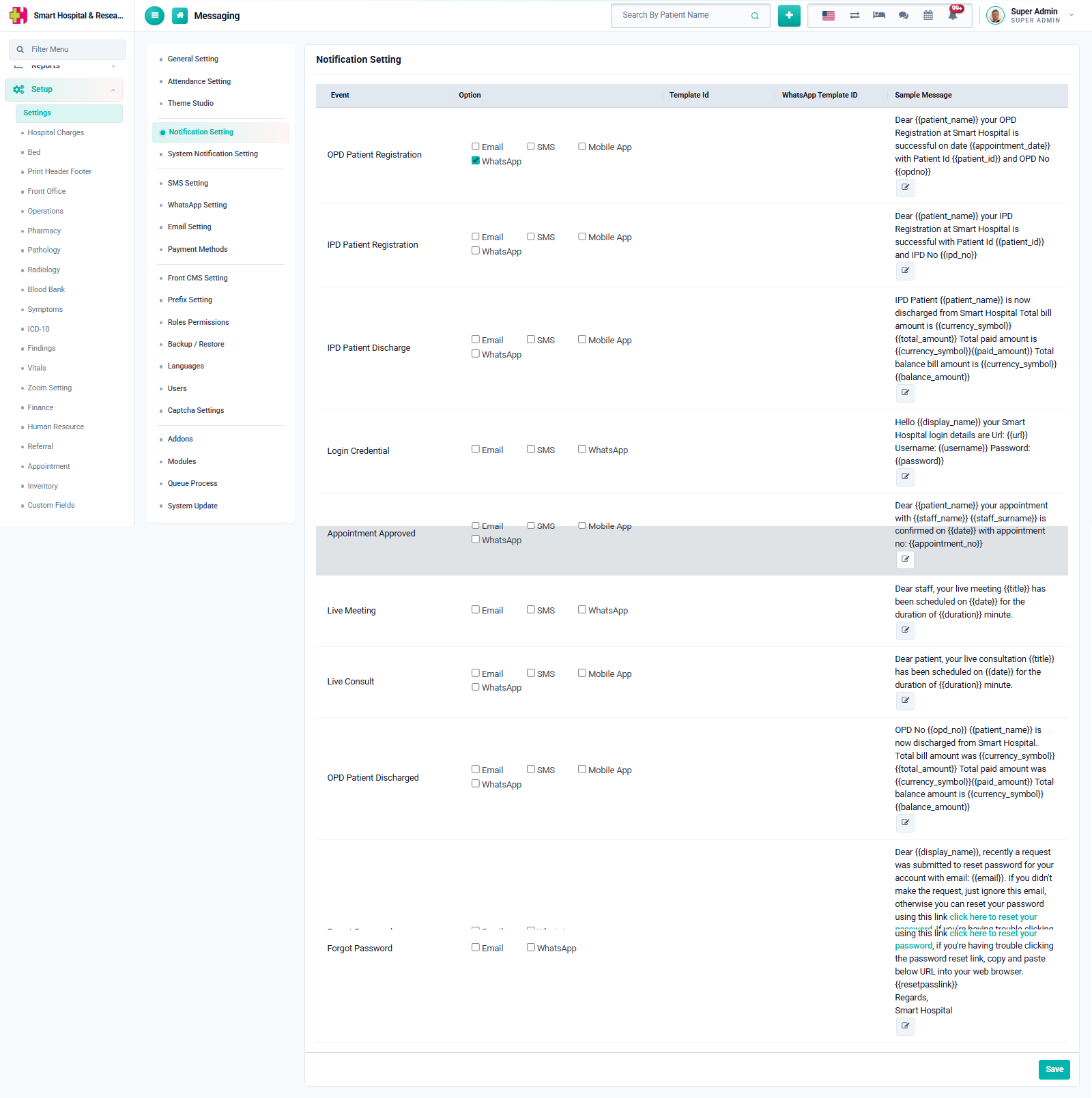
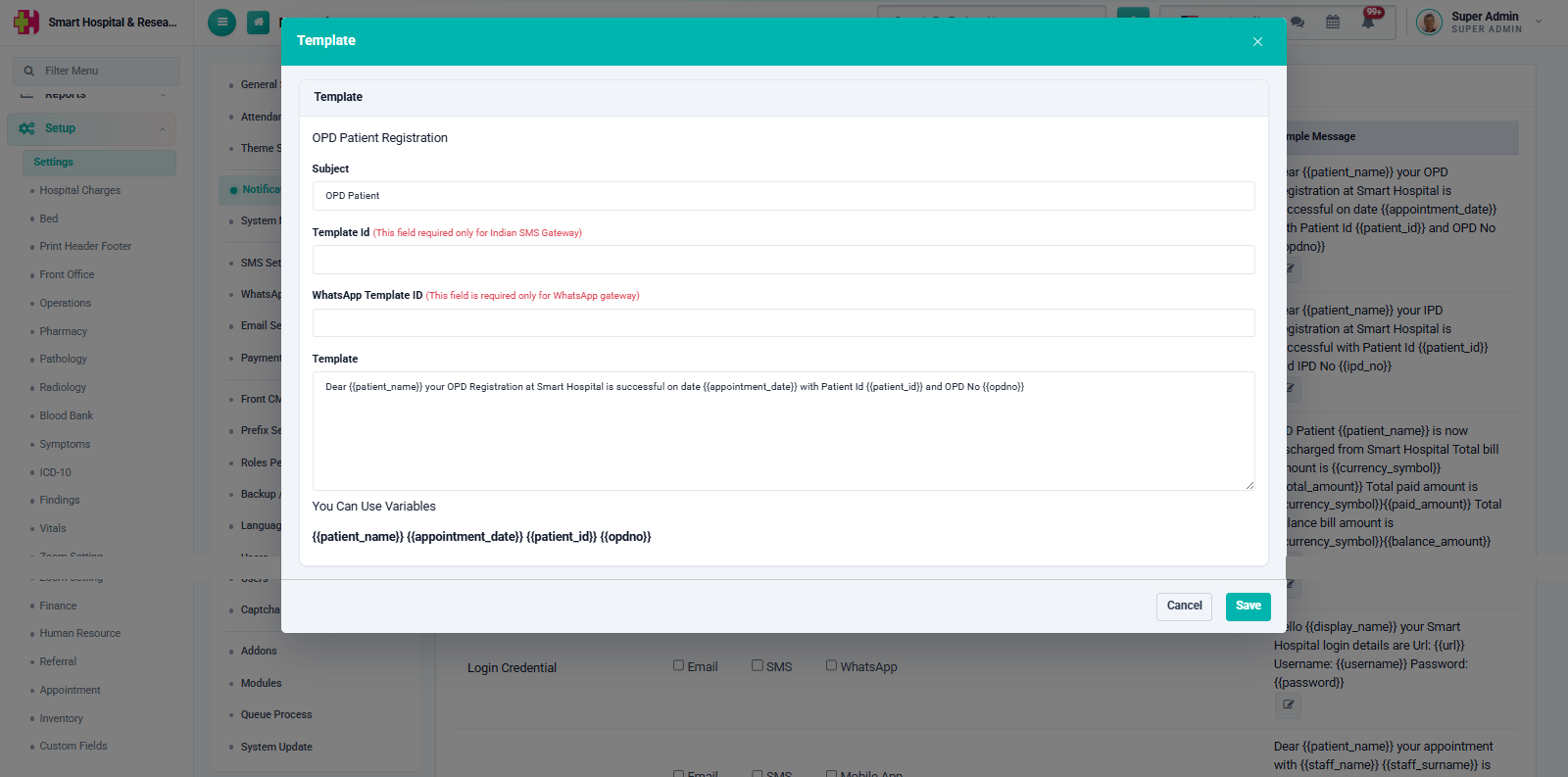
Click the small edit icon next to an event's sample message to open its Template dialog. Besides the message Subject and Template text (which can use placeholders such as {{patient_name}}, {{appointment_date}}, {{patient_id}}), this dialog also has a WhatsApp Template ID field.