Go to Setup → Settings → WhatsApp Setting from the sidebar. The Twilio WhatsApp tab is selected by default.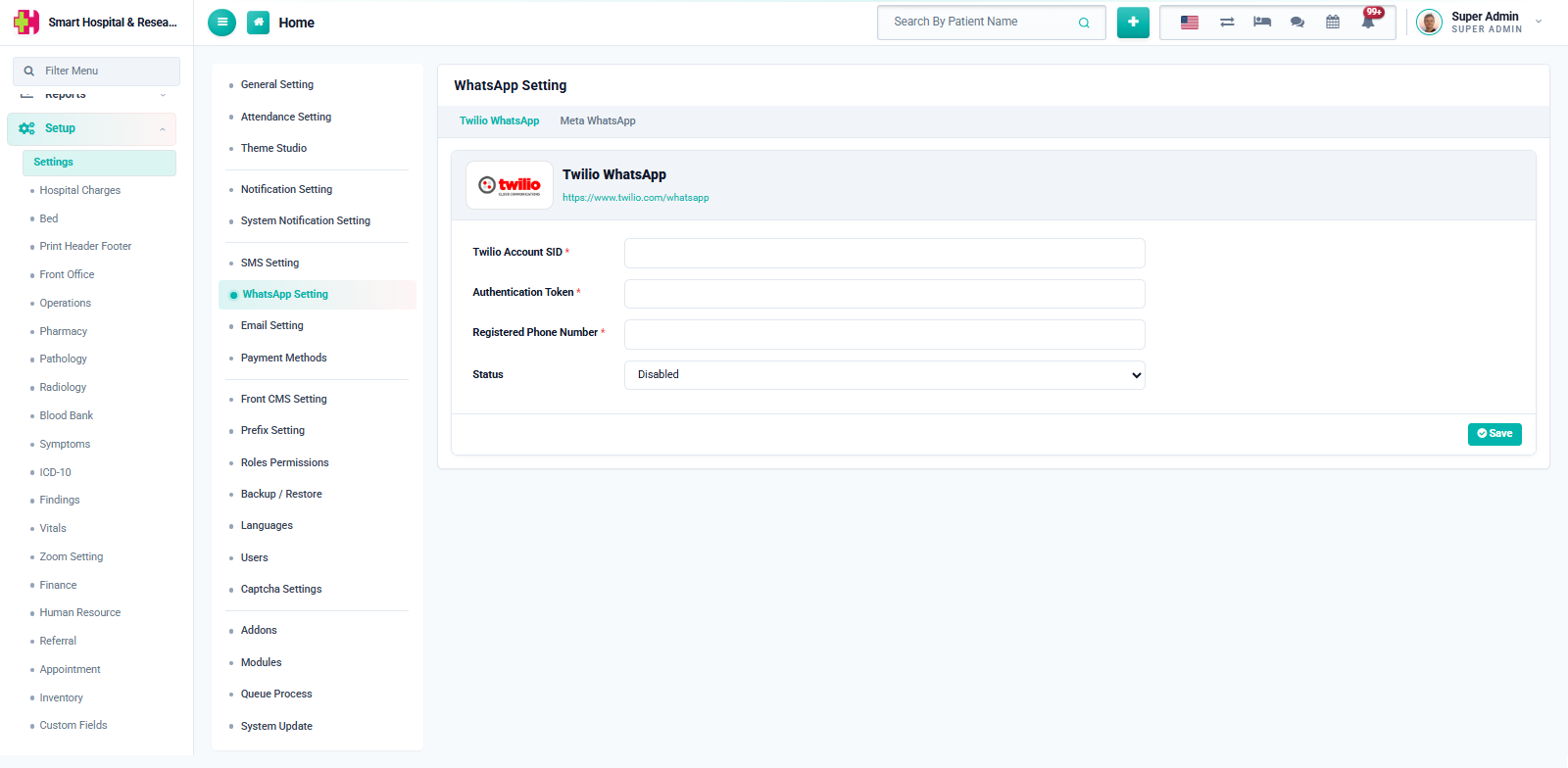
Enter the following, taken from your Twilio Console:
- Twilio Account SID — required.
- Authentication Token — required. Once saved, this is masked and shown only as a hint on later visits.
- Registered Phone Number — the WhatsApp-enabled sender number linked to your Twilio account, required.
Set Status to Enabled and click Save. Enabling Twilio here automatically disables the Meta WhatsApp provider, since only one can be active at a time.
Note: the phone number must already be approved for WhatsApp on your Twilio account (either the Twilio Sandbox for testing, or your own approved WhatsApp sender for production) before messages will actually deliver.