Go to Setup → Settings → WhatsApp Setting from the sidebar and click on the Meta WhatsApp tab.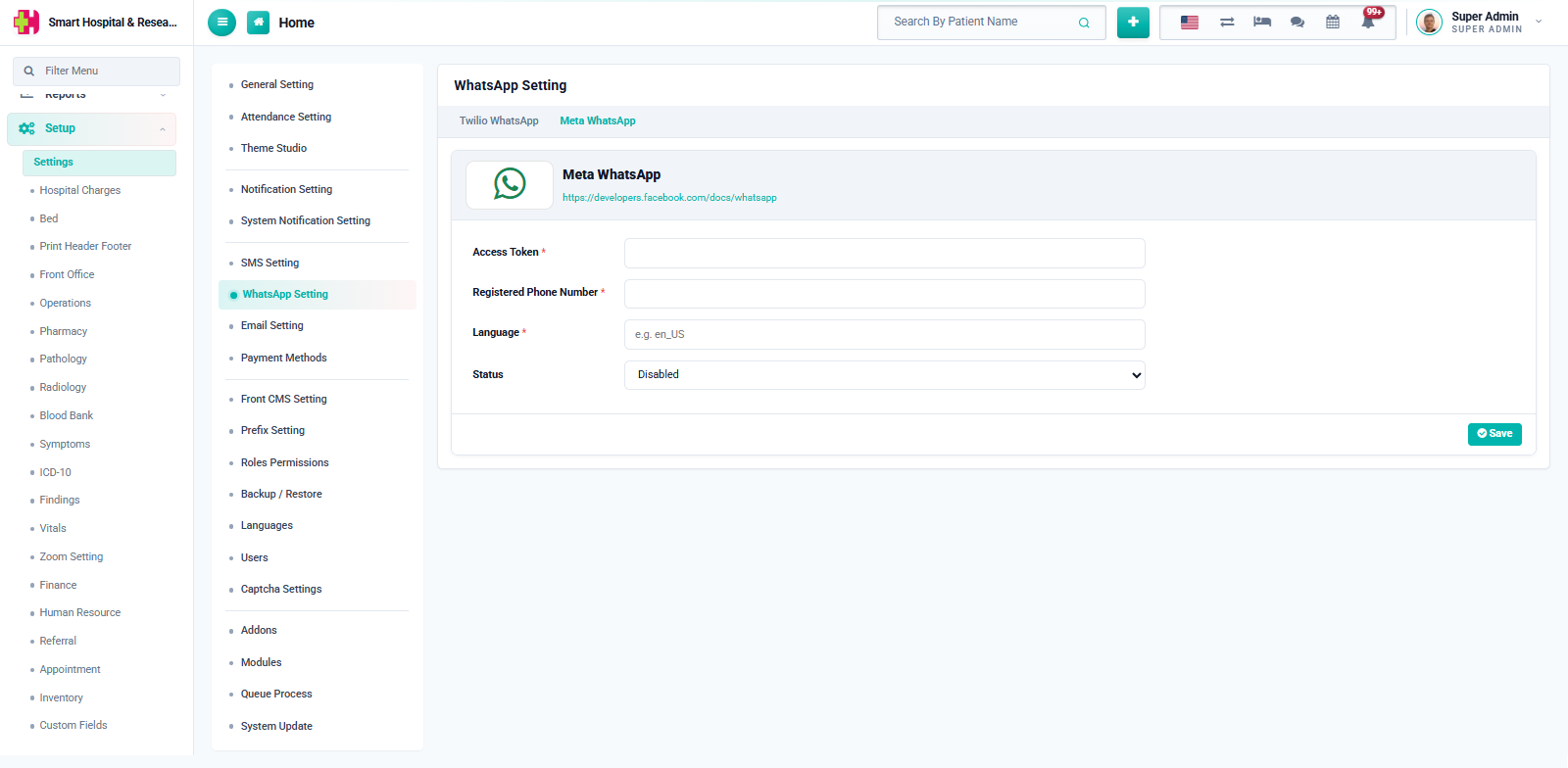
Enter the following, taken from your Meta for Developers → WhatsApp app:
- Access Token — the permanent (or system user) access token for your WhatsApp Business app. Required, masked after saving.
- Registered Phone Number — here this is your WhatsApp Phone Number ID from the Meta Cloud API (not the phone number itself), required.
- Language — the language code your approved message templates were created in, e.g.
en_US. Required.
Set Status to Enabled and click Save. Enabling Meta here automatically disables the Twilio provider.
Note: Meta WhatsApp only sends pre-approved message templates — each notification event's WhatsApp Template ID must match a template name that has already been approved in your Meta WhatsApp Business account, in the same language configured here.